4 Knockout Ideas for Distance Learning

 4 Knockout Ideas for Distance Learning


Distance learning can at times feel like you were put in a blender without the top on. Just because we are distanced from our students doesn’t mean we have to feel so mixed up. Take a few pointers for the 4 knockout ideas for distance learning so you don’t feel the pressure, so much!


Keep it Simple


Remain organized and keep everything simple. It really is the key to successful distance learning. Use the same lesson plan template each week. This helps to make sure students know what to expect each week. Pick a day for grammar. Be clear what the goals are each week. Be clear with due dates. Do not lower your expectations, but make them clear. If students do not turn their cameras on in virtual meetings, then make it clear from the beginning that is an expectation. Make sure students know how they are being graded and what to expect in terms of grading. How often is your gradebook updated? Do you provide feedback on all assignments? Where should they find the feedback? (I am a big fan of Google Docs comments and Kaizena if you are looking to share your voice!) 


Stay Connected


Being connected to your students is more important than ever. Showing students that you care, you are invested in their learning, and you want them to succeed is of utmost importance during distance learning. Take time to get to know them. Do the icebreaker activities and make students feel a part of the community. You can also use a website to promote and  to display student work. You need to continue to show pride in what they are accomplishing, so they do too! (Google sites are really easy to use!) You may even have a student help you maintain the website giving opportunities to students who want to do more. 


Also, make connection with families a priority. Yes, it is time consuming, but when distanced, it is even more important for families to be in the communication loop. Social emotional health is a serious issue during distance learning and being in contact with families will avoid seeing students that are often overachievers becoming slackers. Families need to know how their children are doing to be a part of the support system. There are great resources out there like Remind that allow you to stay connected without giving out your phone number! Decide what works best for you and stay connected!


Keep it Light


Distance learning should have high expectations, but when we’re in in-person class there are so many times that you go off on tangents, or play games, or even watch movies. Don’t forget all of that just because we are distanced. Do play games.  One of my favorites is Scattergories. You can easily find lists online and choose a letter! Play with words and have some fun! You can easily share game sites like Kahoot or Quizizz in synchronous time by sharing your screen.


Also, keep up with the motivation! Continue to do rewards. Even distanced, extrinsic motivation matters.


 Here are a few ideas: 

  • Play games!

  • Watch a movie together

  • Second chance on an assignment

  •  Drop lowest grade

  • Choose a recipe the teacher makes in a synchronous meeting. (Even more interesting if you’re not a great cook or a student gets to give you directions!)

  • Choose a dance the  teacher has to do synchronously. (TikTok dances are huge right now).


The possibilities are endless. Be creative. Ask the students what they want. Let them earn the rewards and not just grades.  Grades are not motivators for many students and our ultimate goal is to help our students become lifelong learners, not just pass a specific grade.


Use All the Tools


Lastly, use all of your resources.<strong>Use the technology and use your colleagues! Reach out to your technology department. Share successes and failures with others in your department or on your team. Stay in communication with guidance counselors and administrators. Find your support team within your school and utilize it. No one should have to jump into distance learning alone.  


When distanced, your world is upside down.
 Don’t let it bog you down. Get creative and use the 4 knockout ideas for distance learning here.  Be flexible and reflective and distance learning could be one of your best years yet!


3 Ways to Use Classroom Libraries with COVID Concerns

3 Ways to Use Classroom Libraries with COVID Concerns


Independent reading is a huge part of English classrooms. With COVID 19 lurking, English teachers need to make some changes to using their classroom libraries. Don’t worry though, with these simple steps, independent reading and book choice can absolutely continue in your classroom!  


Here are 3 ways to continue to use your classroom library with COVID concerns.


Digital Checkout System

Scholars love to peruse our books, touch them, read the back, flip through to see how many chapters, or to read a few pages to evaluate their interest. This feels like a big downfall with COVID, as we don’t want our students touching the books and returning them for someone else to touch. However, there is always a solution!  You can use a digital checkout system. There are some great ones for organizing classroom libraries and many of them are free! 


  •  Booksource or Libib are great choices. Even better, take the time to inventory your library in one of these systems and use it forever! It may take time in the beginning if your library is large, but totally worth it in the end. 

  • If you know you don’t have the time to set up something like a digital inventory, use Google Slides to introduce a few books at a time. You can have an image, a few pages, and the back cover! This sounds like a great project for students to do too! Can we say book reviews? Our students would be so proud if you were to reuse their work as a classroom library preview! 

  • Another option is using Google forms for check out. If a student wants to check out a book, have them fill out the form and then you can document check out, check in, and everything in between. Simple and effective. 

  • If you're going for simple, have students search titles and descriptions of books in your library on the Internet and that could still be touchless without any of the work on your end!


72 Hour Rule


Now that you have options for check out, let’s talk safety. When a child takes a book home during this pandemic, you may shudder by the thought of it being returned. However, COVID-19 is being studied in multiple settings and reports are claiming that the virus does not continue to live on paper or books after 72 hours. This is great news for classroom libraries. Here are some more ways to keep the library safe for everyone:


  •  Use clear contact paper for your covers so when it is returned the student simply wipes down the cover with a disinfectant wipe. Then it must go into quarantine before the next student can use it. Lysol and other sprays are not recommended, but you can also wipe down the book with a disinfecting wipe.

  • When a book is returned, have the student place it in a specific box for quarantine. You will need a few plastic boxes or you can even use ziplock bags! Mark the date on the plastic with a post-it or an expo marker! 

  • Make your procedures for checking in books clear and make check in days only on Mondays. This helps especially if you do First Chapter Friday, because the books could potentially stay in quarantine for a week making them even safer. If you always choose Monday, the time in quarantine is documented in a very organized way.


Go Digital


If you still feel uneasy about continuing to use your classroom library, there is always the option to go digital.


  • Check out digital library sites like getEpic.com, which has tons to choose from.

  • Find the tons of free PDFs online that are easily accessible. This is especially true for the classics.

  • Lastly, most libraries allow you to borrow ebooks. It may take a lesson or two, but students could easily keep reading your favorites from the safety of their personal devices. 


Safety is obviously number one priority, but students need to be reading. Some libraries remain closed and our students continue to see us as the experts on what they should be reading. (Of course, because we are!) Keep the recommendations coming and keep the books flowing.  Keep using your classroom library with COVID concerns, but do it with precaution and preparation!. COVID has changed our lives, but literacy lives on!


Flipgrid, Edpuzzle, Screencastify, Oh My!

                                            Flipgrid, Edpuzzle, Screencastify, Oh My!


Technology is fascinating and teachers are always trying to find the latest and greatest. Well, you’ve come to the right place!  Flipgrid, Edpuzzle, and Screencastify are three of the best tools for all ages of learners and easily accessible by teachers and students alike! Check out all of the details on these great tech platforms!


Flipgrid


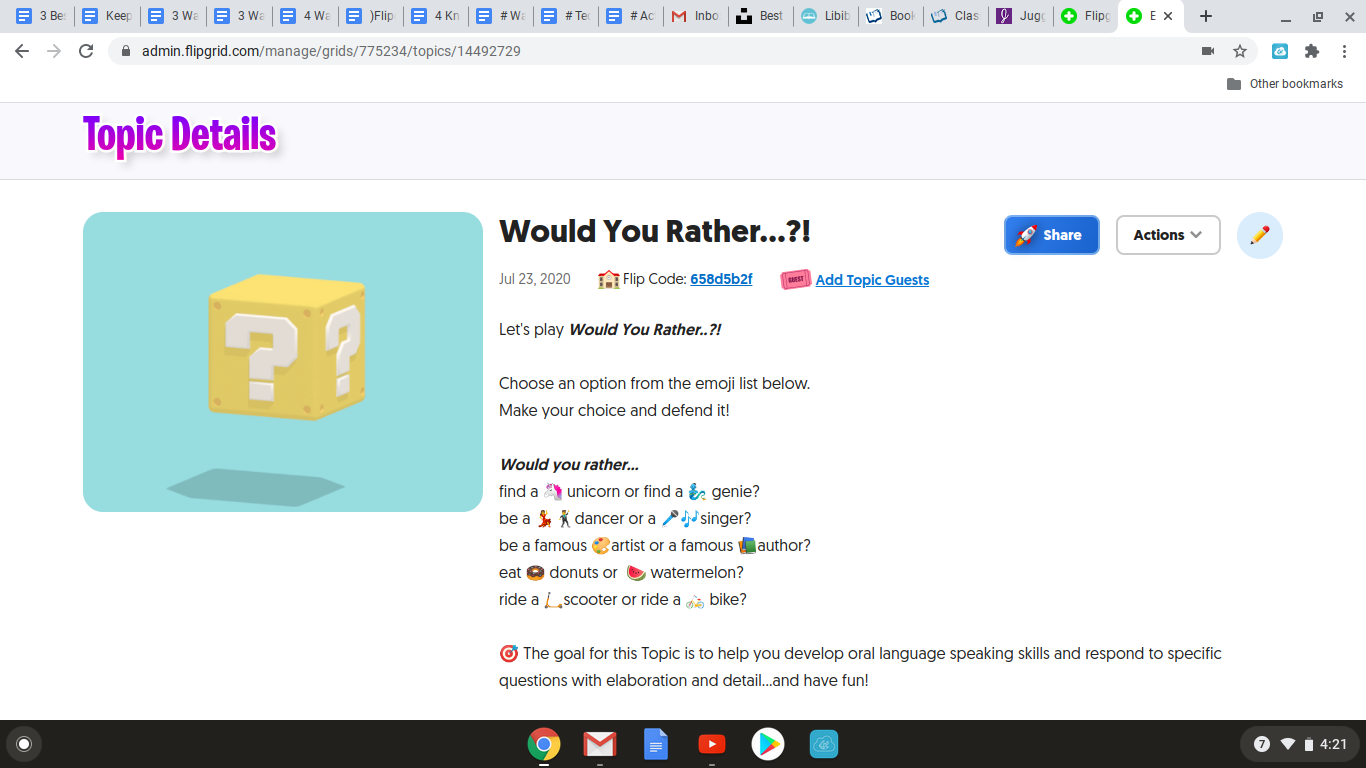
Looking for something original for your students? Flipgrid is totally the way to go. This platform allows students to respond in various prompts by using short videos of themselves. They can trim them, add stickers, and even take a selfie to use as the cover shot. The process is super simple and easy to follow. 


A few more tips to get started:

  • Your classes are called “grids” and students are given a code to join!

  •  When you post a topic, you control all aspects. 

  • There are various filters, you control student responses to one another and you can even preview videos before they post to your class. 

  • You can even link outside sources to your topics and students can do the same if they need support for what they are discussing!

  • You can check out the “Disco Library” for premade prompts to share with your class. 


Here are a few ideas on ways to use Flipgrid in your class!


  1. Build student portfolios. Allow students to reflect on their work by explaining what they have learned through the process. What a valuable tool!

  2. Reteaching! Mastery happens when you can teach someone else. Allow students an option of creating a video teaching a concept to prove they understand it fully!

  3. Guest Speakers! You can invite authors or really any valuable speaker to join and have conversations with your students through Flipgrid!

  4. Vocabulary work! Students record videos for their classmates defining new vocabulary words. This packs a punch in the learning department.

  5. Exit tickets get a brand new look! What a great way to reflect on what students have learned by using videos

  6. Speaking standards are definitely covered by using this tool!

  7. Icebreakers! What better way to meet your students! One of the classics is would you rather questions and you can find them in the library of resources already created!

  8.  Book Reviews! Check out the blog post: WAYS TO USE FLIPGRID TO SHOWCASE BOOKS to read even more about how to do this on Flipgrid!

Edpuzzle


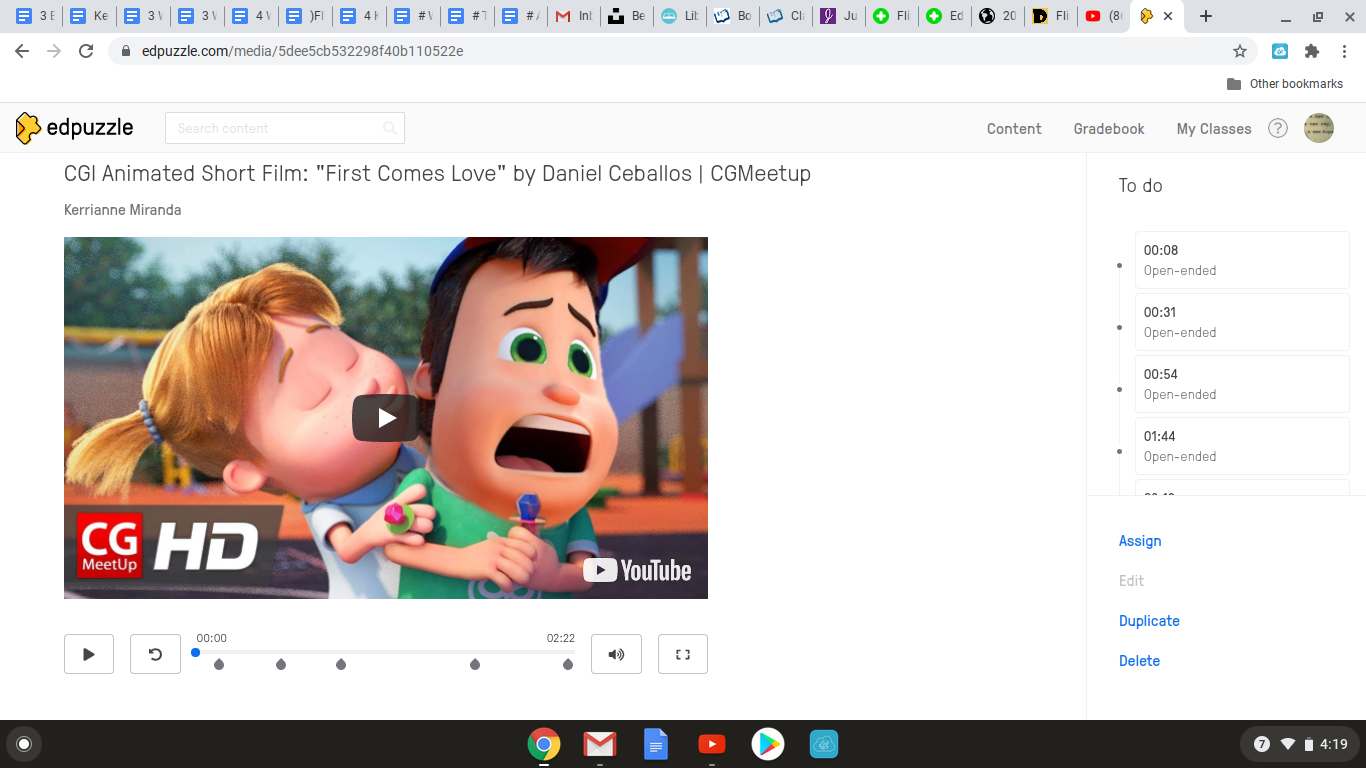
Edpuzzle.com is this exceptional tool that uses YouTube videos, Ted Talks,  Khan Academy, and your very own videos to teach all of your standards! The best part of Edpuzzle is the customized questions. There are editing tools that allow you to add the questions wherever you want students to stop and think and they are absolutely required for the student to move on. You can make multiple choice or short answer. There is also the option to copy videos from other Edpuzzle users (your own school included). You can copy videos with questions or without, but don’t worry if the questions don’t fit what you need, you can just edit them in your copy of the video!


Here are few of my favorite ways to use Edpuzzle:

  1. Teaching plot elements, or characterization with short animated videos. Think Pixar shorts or short CGI films! Check out, “Don’t Croak” by Daun Kim or “First Comes Love” by Daniel Ceballos for all of your plot needs! 

  2. Use music mashups to teach poetic elements. There are a bunch of already created YouTube videos to choose from!

  3. Edpuzzle videos are also great for substitute plans and engaging for the students too!

  4. Instructional videos created by me as a resource they can rewatch over and over again!


Edpuzzle takes the art of using videos to teach to the next level with the ability to use questions, edit and cut videos and there is even an option for voiceover. Check it out at: Edpuzzle


Screencastify


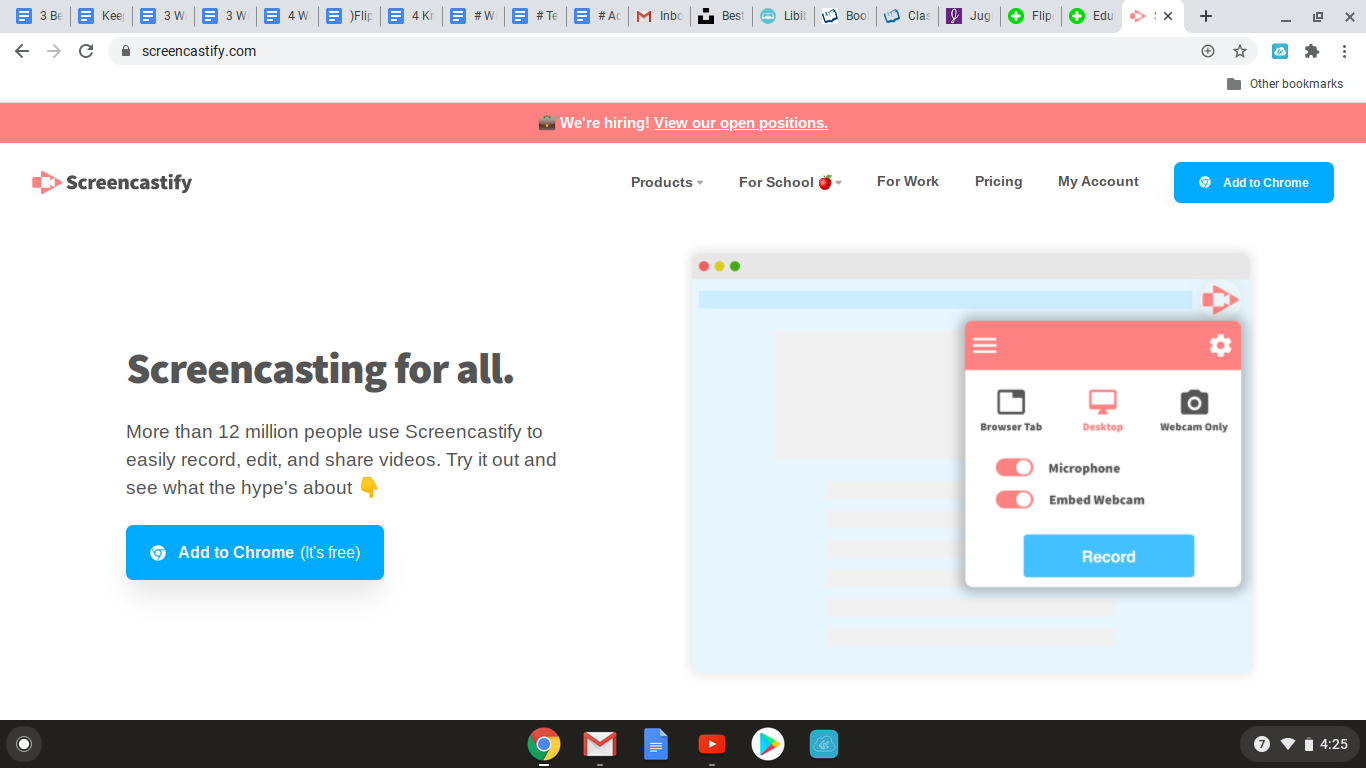
Oh my, this one is a staple in my teaching as well. Screencastify is a simple to use video recording tool. It simply records your screen as you are talking. Google Slides works well for this, but you can show anything on your screen! You can opt to use the camera option and you will appear on the screen as you talk through your lesson. The free version does limit how many minutes you have, but the paid version is completely unlimited. 


If you have ever thought about any of the following, you need screencastify:


  • Have you ever thought about flipping your classroom? You will need screencastify. These can be the instructional videos students watch at home to work the next day.

  • If you ever wanted to use instructional videos for students to work in stations with, screencastify is your new best friend. 

  • Ever wanted your own YouTube channel of resources? Use screencastify to create them!

  • Have a  substitute in the room, but want your students to hear your lesson? Screencastify it is!

  • If you want to use  Edpuzzle,  but with your own videos, you can screencastify and upload then upload them into Edpuzzle and add your custom questions!


The possibilities are endless with
Flipgrid, Edpuzzle and Screencastify. Using them all together in your teaching will put you at the top of your game and make our students excited about learning. Oh my!


Keeping Collaboration Alive: Discussion Boards for Distance Learning

          Keeping Collaboration Alive: Discussion Boards for Distance Learning


A passion to share the power of words is at the core of every English teacher’s soul. One of those ways to share the power of words is through collaboration, conversation, talk, dialogue, debates, and even heart-to-hearts. These are all tremendous parts of an English classroom. Students become stronger with their vocabulary when speaking or writing and listening. But, what happens when your students that exchange in discourse with you are only through a screen? This is where we keep collaboration alive with discussion boards. Discussion boards allow for the critical thinking and crucial communication in every classroom, even if students are at a distance through their computer screen. 


Google Classroom Discussion


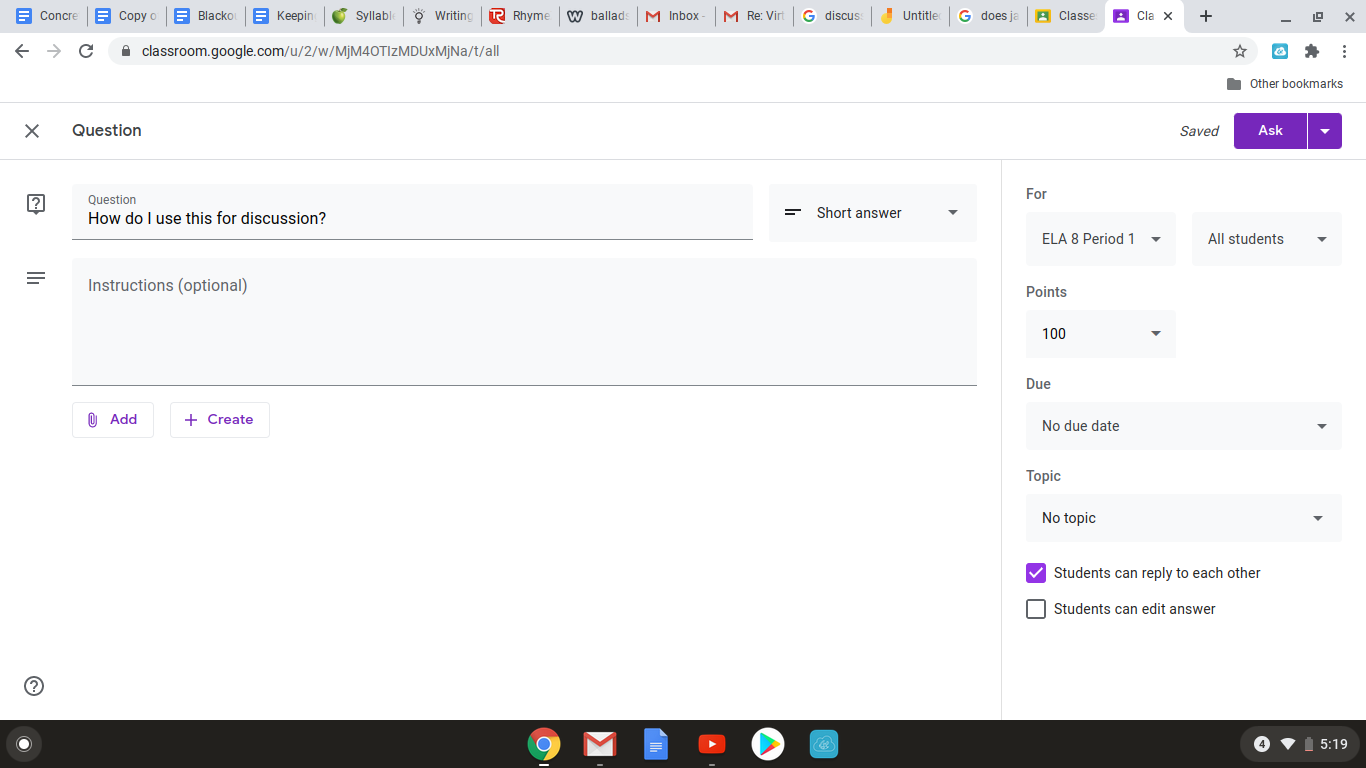
First, let’s talk about Google Classroom. Did you know the classroom organizer you already use has a feature for discussion? It is so simple and easy. Set it up just like any other assignment by clicking create, and then question. Ask your question and students can answer, but the best part- they can also respond to one another!  (They also can’t see what any other student wrote until they respond. )Keep the conversation alive, even from a distance! 


My favorite way to use this is by posting a video clip right in Google Classroom as a resource, and having students respond to the video. One I have used is how the clip compared to the novel we were reading! You could do this with a time period piece too! By using this feature students are able to make connections, inferences and see the perspective of their classmates also. It is a great way to keep the discussion alive and give opportunities for reflection and build their understanding.


Jamboard


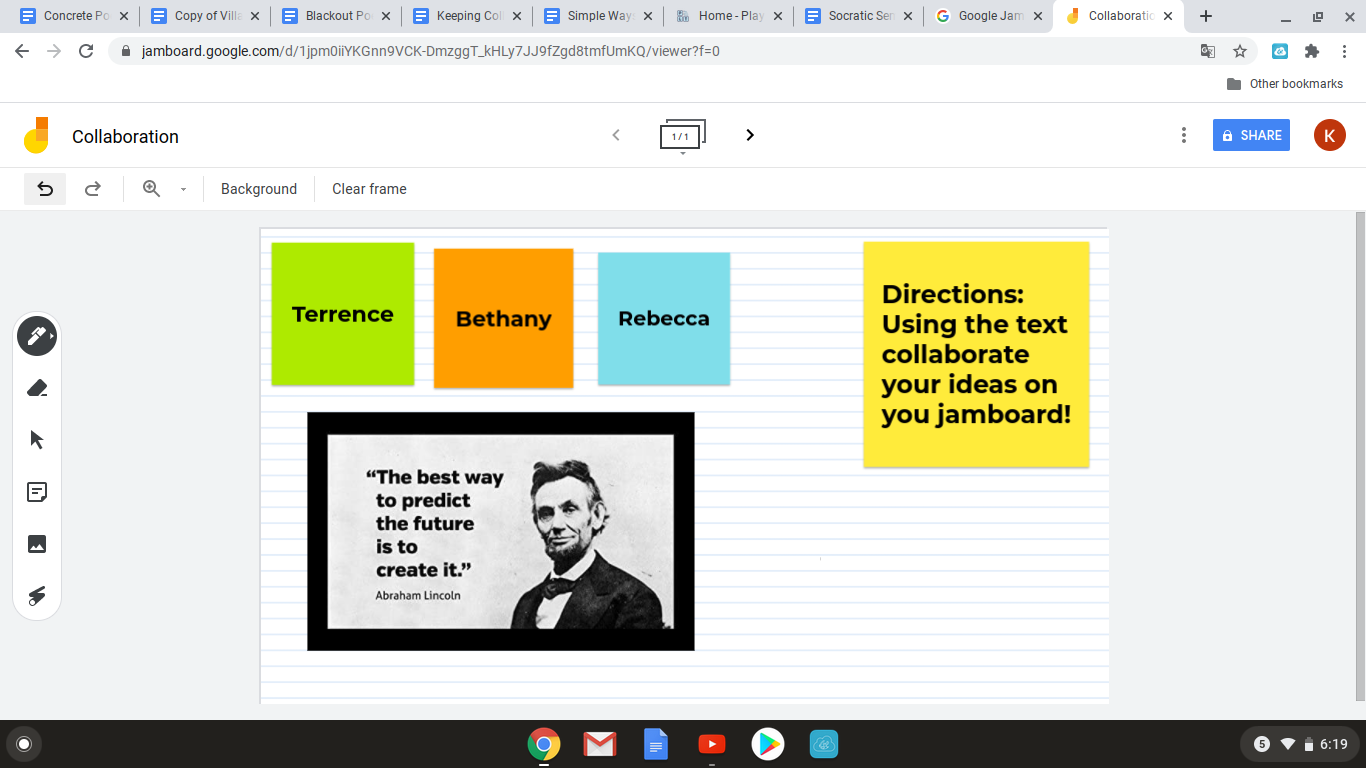
Distance learning presents many challenges and students working together is one of them. One of Google’s new platforms is Jamboard. What a cool site and it is completely compatible with Google Classroom. You can assign groups a “Jam” or create one for the whole class. This can be used to have online discussions, but also to collaborate on group projects. Jamboard is a tremendous opportunity to include student thinking on an accessible platform. You can edit the background, add images, write with a pen or type. It is easy to use because it incorporates all the Google tools students are used to using already in Docs and Classroom. One idea for a great opportunity is using famous quotes for groups of students to analyze. Each group can dissect the quote, discuss and then present their “Jam” back to the entire class.


Versoapp


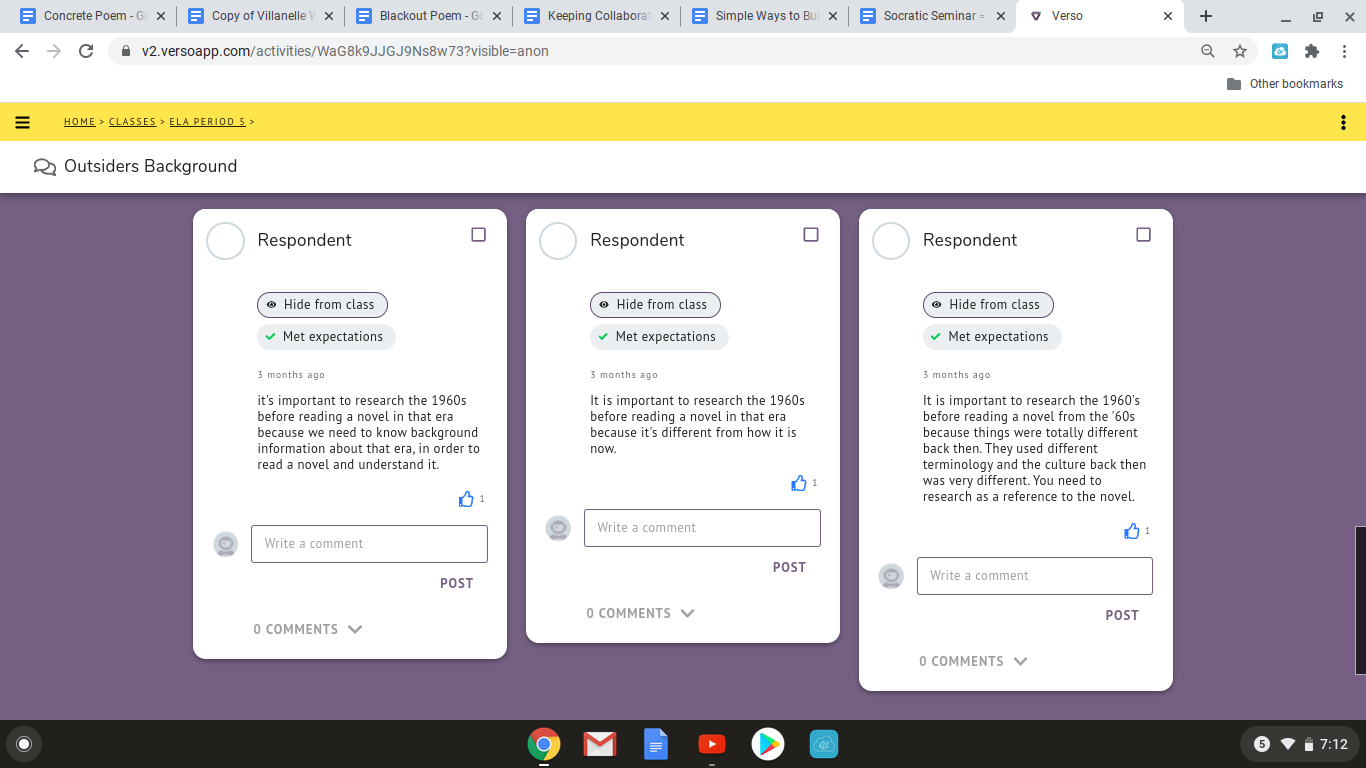
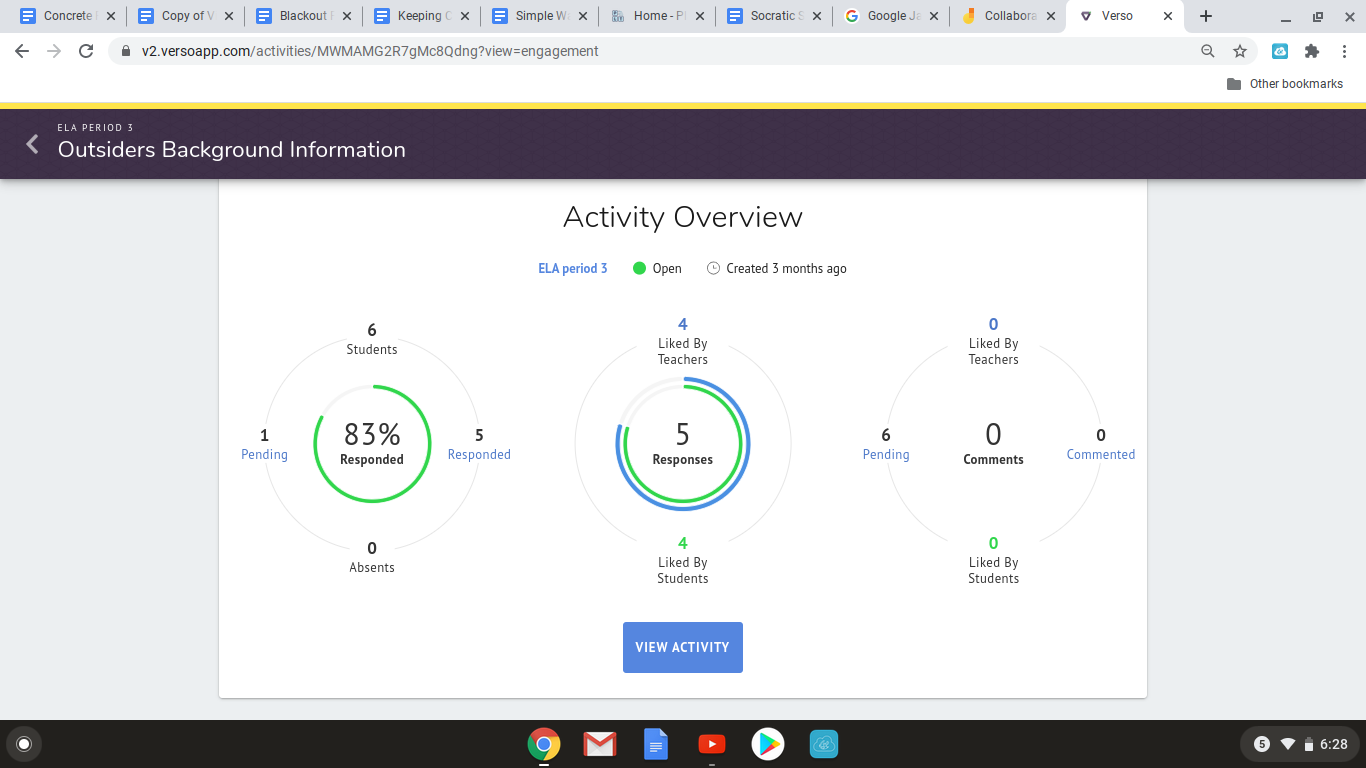
Versoapp is another incredible tool for online discussions. This platform could easily be used for asynchronous distance learning, responses to reading, responses to quotes, film clips, images, or even mentor texts for writing. Again students are able to respond to the teacher’s question, can’t see their classmate’s answers until they respond themselves, and then can comment or “like” other answers. The teacher has control of the features and can turn certain tools on or off. This platform will upload your rosters from Google Classroom and students are given a code to enter. There is data percentages to track participation and students can remain anonymous to one another. This is my favorite part. Teenagers can be shy, or fearful to share their real thinking and this allows them to be anonymous,  alleviating some of that social fear. Don’t worry though, from the teacher view, the teacher can see each student's name! 


Ideaboardz


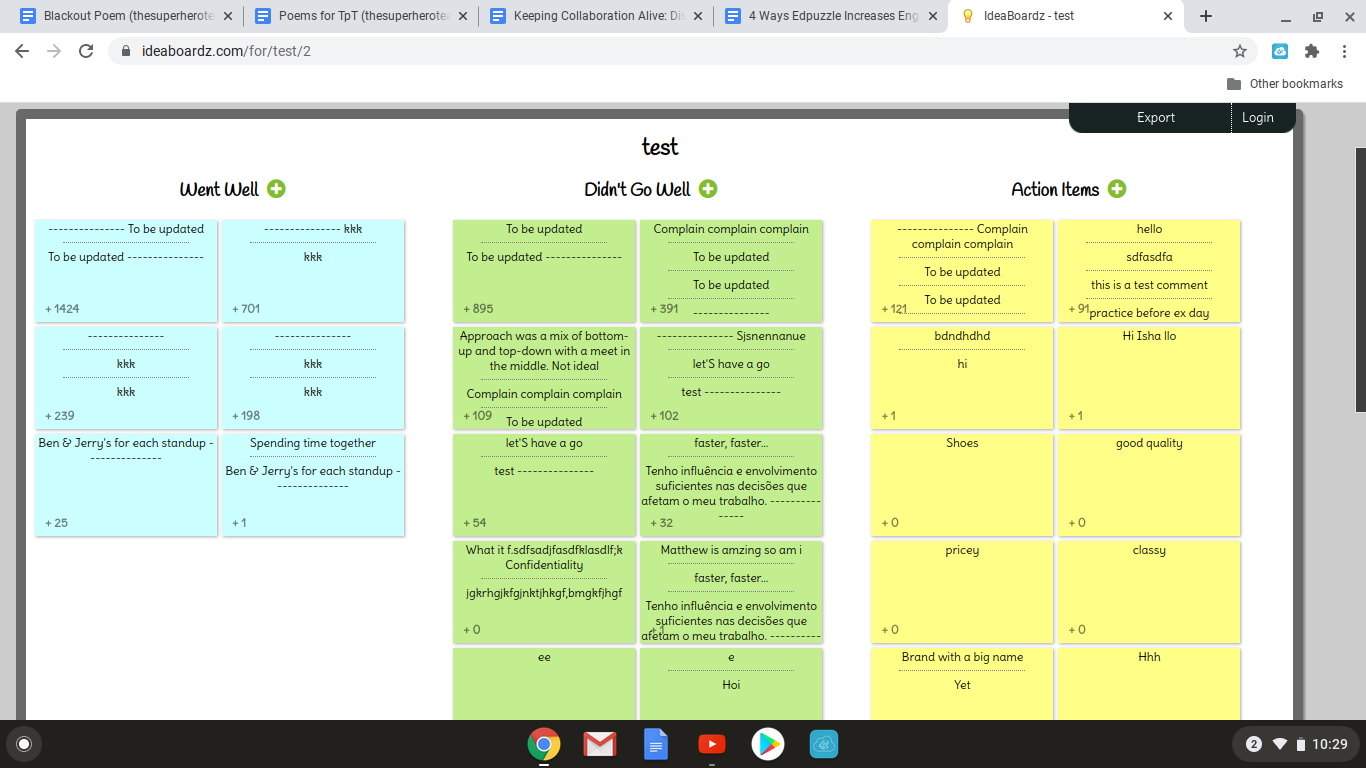
Next up is Ideaboardz. This site can definitely be used for reflection, feedback,  closing, exit tickets, or brainstorming. This site reminds me of Post-its, that you would use in an in person classroom, so it is a great way to continue those Post-it activities in distance learning. To share an ideaboardz, all you need is to share the URL with the students and they can jump in and share their ideas. 


Parlay


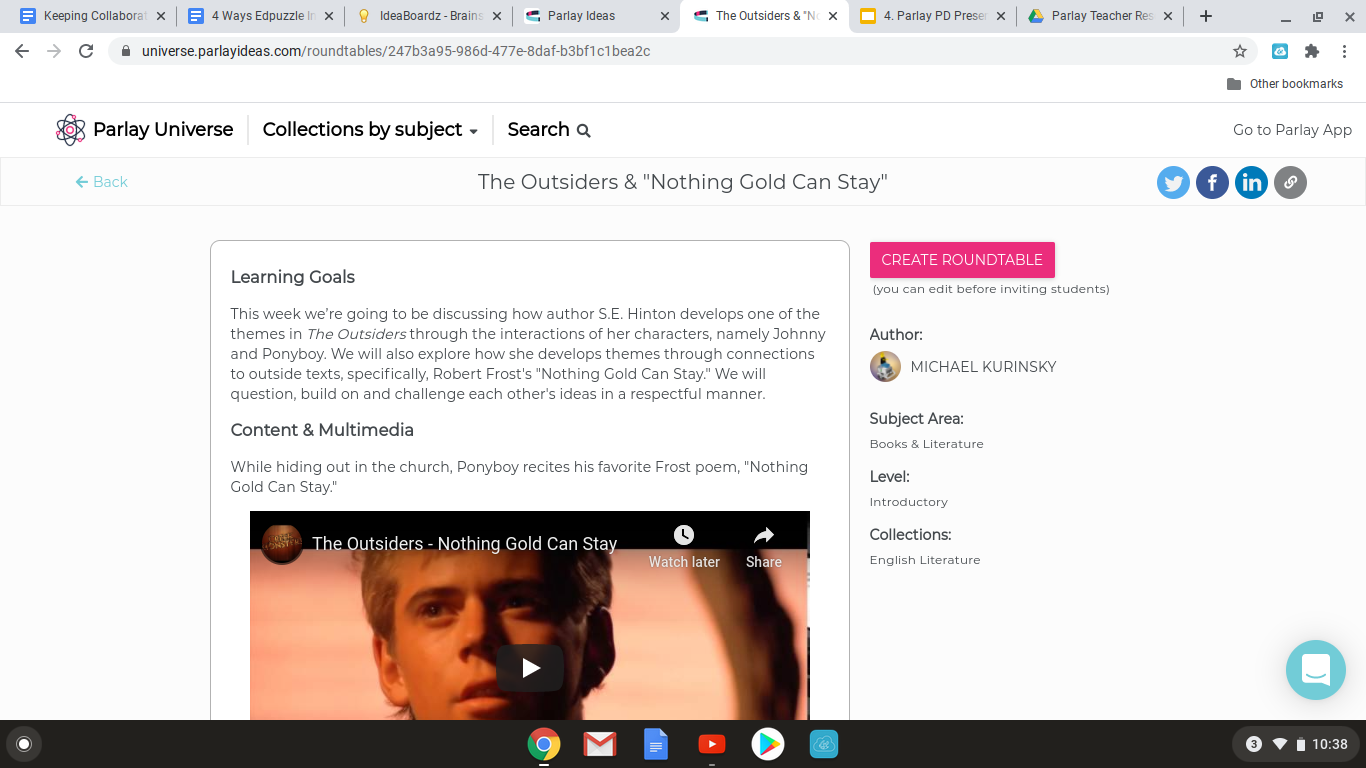
Parlay is this really interesting site that incorporates  a whole library of already created prompts that you can choose from or of course make your own. All of the prompts are also customizable and there are a variety of topics covering every subject and more. There are even social emotional prompts that could be very beneficial in a distance learning setting, especially because our students haven’t all chosen distance learning. The teacher has the ability to provide feedback and customize rubrics to use. After student submissions, there is opportunity for a whole class reflection. If you are in a hybrid situation, (distance and in person learning alternating) there is also a great feature for live socratic seminars, allowing you to use this site in even more ways!


All of the above sites are opportunities to keep our scholars thinking critically, be active participants in class, even if it is from a distance, and even build community. Collaboration could be seen as a challenge for distance learning, but with the right tools, discussion can stay stronger than ever in distance learning!


How Restorative Circles Create a Safe Environment for Students and Staff


How Restorative Circles Create a Safe Environment for Students and Staff


Every time a student gets suspended, that's time out of your class where they could be receiving valuable instruction. Every time a student gets in trouble in your class, it disrupts the learning environment. Every time you write a discipline referral or a detention, the discipline data goes up and suspension rates rise. These statistics can become overwhelming. Especially when there is pressure to keep those numbers at bay.  Restorative circles can help reduce the discipline data, keep students in your classroom, as well as support their social emotional learning and well-being.


Mindset Shift

Prior to implementing restorative circles, there needs to be a shift in mindset. Typically, the school discipline model is punishment oriented versus a restorative mindset. You see, when a student gets in trouble, more than likely there is a consequence, such as detention, phone call home, suspension, or back in the day a trip to the principal's office.  Misbehaving students often find themselves expelled or out of school for an extended period of time. This can cause long term issues, socially, academically, and emotionally.  Implementing restorative circles will foster a new mindset that helps with repairing and restoring relationships after a problem behavior arises. This helps students stay connected to the school community in a positive manner as well as creating a safe environment for all.

Form a Circle

According to the International Institute for Restorative Practices, “The aim of restorative practices is to develop community and to manage conflict and tensions by repairing harm and building relationships.”  The restorative circle is a starting point to building relationships between students and staff while developing an inclusive community. It’s important to encourage student participation, set the norms for the circle, and create an equal opportunity for everyone in the circle to speak.  Empower your students by letting them create the rituals and routines for the circle.
Examples of norms could include:
       Everyone must participate
       Only one person speaks at a time
       Be respectful


In the Circle

Within the circle, the teacher presents a thought provoking question, a talking piece that is passed around,  and an encouraging space for engagement. A talking piece could be something as simple as a pencil, or something sentimental. The circle can be done in homeroom, it can be done at the beginning of class, or it can be done at any point when a conflict arises. The most important thing is to be consistent, implement it with fidelity to build a safe community within your classroom environment.

Building Positive School Climate

            In addition to circles within your class, you can use circles to restore conflicts that arise within the school day. For example if two students have a disagreement, you can have a circle with the two students and their teacher or trusted staff member. Communication is key as you work towards a resolution. This does not mean that the students won’t face discipline according to the school handbook, but in many situations, if they participate in a circle, their consequences may be less severe. The goal is for the students to understand their peers point of view, they don’t have to agree, but they have to come to an understanding, learn to respect the other side and learn how to handle a conflict with communication. Restorative circles help to create a positive school environment by restoring broken relationships.

Lifelong Lessons

Not all relationships can be restored, but teaching students how to communicate effectively, respect another point of view, empathize, and teach problem solving will not only create a safe space for your students but these lessons go beyond the walls of school
 

Join my newsletter and get a free lesson plan.

Subscribe to get exclusive freebies, learn about sales, and be the first to learn about new content.

We won't send you spam. Unsubscribe at any time. Powered by ConvertKit